ONIC Free SIM Order Guide to Get Your Free SIM in Pakistan


The onic free sim order process makes it easy for people in Pakistan to get a new mobile connection without visiting a physical franchise. ONIC is a digital telecom service that lets customers order a SIM online, complete biometric verification, and activate a plan from their smartphone. This digital approach saves time and provides a simple experience for users who want fast mobile connectivity.
What Is ONIC Free SIM Order?
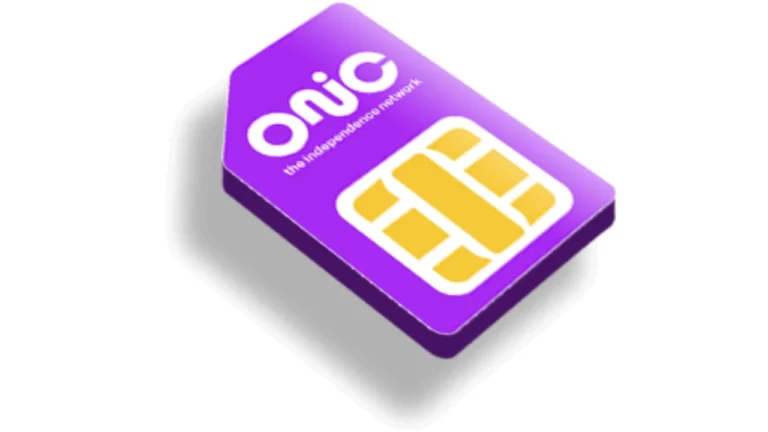
The onic free sim order is an online service that allows eligible customers to request a physical SIM or eSIM through ONIC’s official platform. Instead of visiting a service center, users complete most of the process online. After placing the order, ONIC delivers the SIM to the customer’s address where service is available. Customers then complete biometric verification before onic login activating their selected mobile package. The SIM itself is often offered without a purchase price during promotional periods. However, customers still need to subscribe to an available mobile plan before using calls, SMS, and mobile internet.
How ONIC Works?
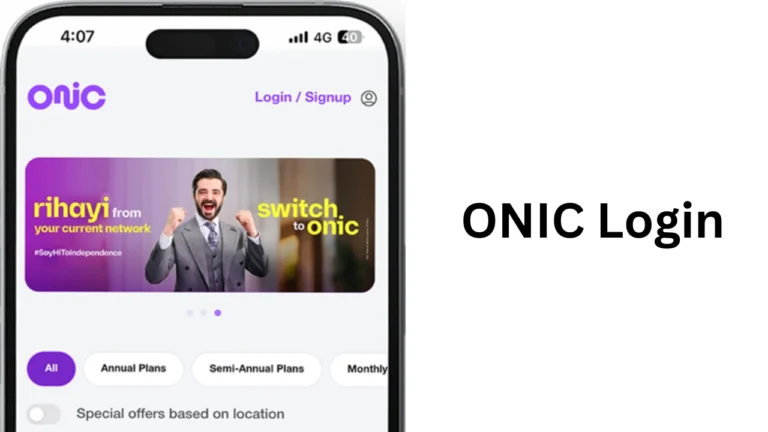
ONIC is different from traditional mobile operators because it focuses on digital services. Customers manage their mobile accounts through the ONIC mobile application. The app allows users to:
- Purchase mobile plans
- Track data usage
- View remaining minutes
- Recharge their account
- Change subscriptions
- Manage personal information
This digital model reduces the need for physical customer service centers.
Main Features of ONIC
The following table explains the major features available with ONIC.
| Feature | Details |
|---|---|
| Online SIM Order | Request a SIM through the official website or app |
| Physical SIM | Delivered to eligible locations |
| eSIM Support | Available for compatible smartphones |
| Number Portability | Keep your current mobile number |
| Digital Account | Manage services using the mobile app |
| Online Packages | Buy internet, call, and SMS bundles |
| Biometric Verification | Required before activation |
Benefits of Ordering an ONIC SIM
Many users prefer ONIC because it offers convenience and flexibility. The online ordering system removes the need to wait in long queues. Some important benefits include:
- Simple online registration
- Doorstep delivery in supported areas
- Easy account management
- Digital recharge options
- Flexible monthly packages
- Support for eSIM devices
- Option to keep your existing number
These advantages make ONIC attractive for students, professionals, and families.
Who Can Apply?
Before placing an order, customers should make sure they meet the eligibility requirements. Generally, applicants should:
| Requirement | Description |
|---|---|
| Valid CNIC | Pakistani national identity card |
| Biometric Verification | Mandatory for activation |
| Eligible Address | Delivery available in supported cities |
| Mobile Device | Compatible with physical SIM or eSIM |
| Age Requirement | Must meet PTA registration rules |
Meeting these requirements helps complete the process without delays.
How to Complete ONIC Free SIM Order?
The onic free sim order process is designed to be quick and easy. Most users complete the online application in only a few minutes.
Step 1: Visit the Official Website
Go to the official ONIC website or download the ONIC mobile application.
Step 2: Choose SIM Type
Select one of the available options:
- Physical SIM
- eSIM
Choose the option that matches your smartphone.
Step 3: Select Your Number
ONIC allows customers to browse available mobile numbers. You can choose:
- A new mobile number
- Port your existing number
Step 4: Enter Personal Information
Provide accurate personal information including:
- Full name
- CNIC number
- Delivery address
- Contact information
Always enter correct details to avoid delivery issues.
Step 5: Confirm Delivery
Review your information carefully before submitting the request. After confirmation, ONIC begins processing your application.
Step 6: Receive Your SIM
If your area is supported, your physical SIM arrives at your provided address.
Step 7: Complete Biometric Verification
Biometric verification is required by PTA regulations before activation.
Step 8: Activate Your Package
Once verification is complete, choose a mobile package and begin using your ONIC connection.
Documents Required
The application process usually requires only a few documents.
| Document | Purpose |
|---|---|
| Original CNIC | Identity verification |
| Valid Mobile Number | Communication updates |
| Delivery Address | SIM delivery |
| Biometric Verification | Activation requirement |
Having these documents ready makes registration much faster.
Can You Keep Your Existing Number?
Yes. ONIC supports Mobile Number Portability (MNP). This means customers can move from another telecom operator while keeping the same mobile number. The process generally includes:
- Request number transfer.
- Complete verification.
- Receive your new ONIC SIM.
- Activate after approval.
This option allows users to enjoy ONIC services without informing everyone about a new number.
Physical SIM vs eSIM
The table below explains the difference.
| Feature | Physical SIM | eSIM |
|---|---|---|
| Plastic Card | Yes | No |
| Installation | Insert into phone | Digital activation |
| Device Support | Most phones | Compatible smartphones only |
| Replacement | Physical replacement | Digital profile |
| Convenience | Standard | Faster setup |
If your phone supports eSIM, activation may be even faster.
Delivery Time
Delivery depends on your city and service availability. Most orders are processed within a few working days. Delivery times may increase during public holidays or promotional campaigns. Customers receive updates through the registered mobile number or email during the process.
Is ONIC Free SIM Really Free?
Many people ask whether the SIM is completely free. The answer depends on the current promotional offer. In many campaigns:
- The SIM card itself is free.
- Customers pay for their chosen mobile plan after activation.
- Promotional offers may change over time.
Always check the latest terms before placing your order.
Available Mobile Packages
ONIC provides different packages for different users.
| User Type | Recommended Plan |
|---|---|
| Students | Affordable internet plans |
| Office Workers | Balanced call and data bundles |
| Heavy Internet Users | High-data monthly packages |
| Families | Voice and SMS packages |
Users can switch packages whenever needed through the mobile application.
Tips for a Successful ONIC Free SIM Order
Follow these simple tips to complete your onic free sim order without difficulty.
- Use accurate CNIC details.
- Double-check your delivery address.
- choose the correct SIM type.
- Complete biometric verification promptly.
- Keep your phone available for delivery updates.
These small steps help prevent unnecessary delays.
Final Thoughts
The onic free sim order process offers a convenient way to obtain a new mobile connection through a fully digital experience. Instead of visiting a physical service center, customers can request a SIM online, choose a preferred number, receive doorstep delivery in eligible locations, complete biometric verification, and activate a suitable mobile package. The SIM card is often available at no cost during promotional campaigns, but users must still purchase a mobile plan to access network services. Before placing an order, always review the latest terms, delivery coverage, and available offers on the official ONIC platform