Onic eSIM Guide to Digital SIM Activation Setup 2026


Mobile technology keeps improving, and digital SIM cards are becoming more common every year. Many smartphone users now prefer eSIM technology because it removes the need for a physical SIM card while offering a faster and more convenient activation process. Onic eSIM is one of the latest digital SIM solutions available in Pakistan, allowing customers to activate their mobile connection directly on compatible devices.
What is Onic eSIM?
Onic eSIM is a digital version of a traditional SIM card that is built into compatible smartphones. Instead of inserting a plastic SIM card into your phone, you activate your mobile connection by scanning a QR code provided by Onic. Similar to digital services offered by onic packages, the eSIM stores your mobile profile securely inside the phone’s hardware. Once activated, it performs the same functions as a regular SIM card. You can make voice calls, send text messages, browse the internet, and subscribe to Onic mobile packages without needing a physical SIM.
How Does Onic eSIM Work?
An eSIM contains a programmable chip built into your smartphone. During activation, Onic sends a digital SIM profile that installs directly on the device. The process usually includes verifying your identity, selecting an eSIM during registration, receiving a QR code, and scanning it through your phone’s network settings. Within minutes, your mobile number becomes active. This digital approach removes the need to visit a store for SIM replacement in many situations.
Why More People Are Choosing eSIM Technology?
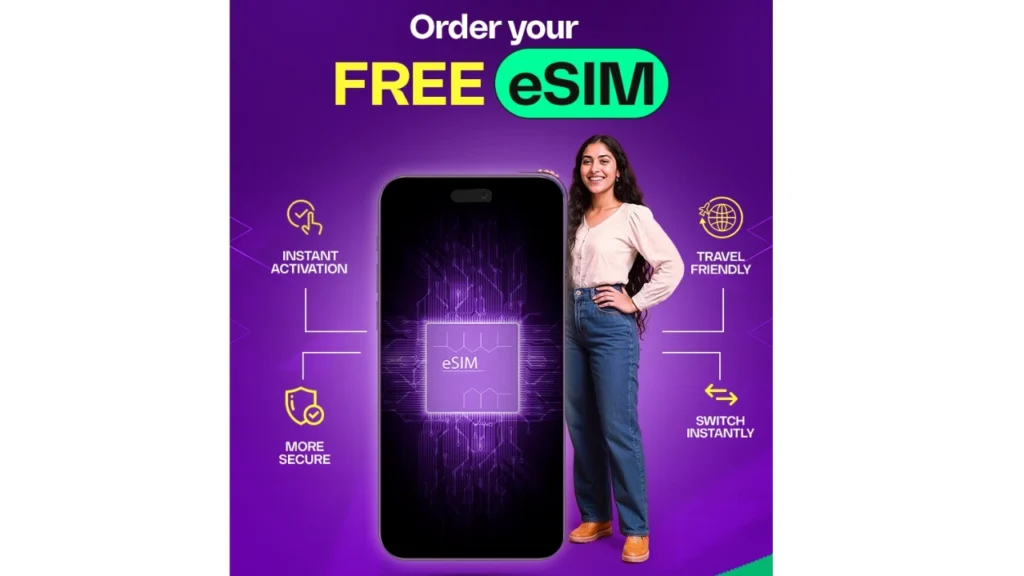
The popularity of eSIM technology continues to grow because it offers greater convenience than traditional SIM cards. Many flagship smartphones now support multiple mobile profiles. Users can switch between personal and business numbers without physically changing SIM cards. Travelers also benefit because they can activate local mobile plans digitally while keeping their primary number active. These advantages make eSIM technology an attractive option for modern smartphone users.
Key Features of Onic eSIM
The following table highlights the main features offered by Onic’s digital SIM service.
| Feature | Details |
|---|---|
| SIM Type | Digital Embedded SIM |
| Physical SIM Required | No |
| Voice Calling | Yes |
| SMS Support | Yes |
| Mobile Data | Yes |
| QR Code Activation | Yes |
| Number Portability | Supported |
| Compatible Phones | eSIM-enabled smartphones |
These features make eSIM activation simple while providing the same services available through a physical SIM.
Benefits of Using Onic eSIM
Many users choose eSIM because it offers several practical advantages.
- Instant digital activation allows users to start using their mobile connection quickly without waiting for SIM delivery.
- No physical SIM card means there is nothing to insert, remove, or lose.
- Dual SIM support lets many smartphones use one physical SIM and one eSIM simultaneously.
- Improved security reduces the chances of SIM theft because the embedded chip cannot be physically removed from the phone.
- Better durability eliminates problems caused by damaged SIM cards.
- Environmentally friendly technology also reduces plastic waste since no traditional SIM card is required.
Supported Devices for Onic eSIM
Not every smartphone supports eSIM technology. Most newer flagship models include built-in eSIM capability. The table below lists some commonly supported devices.
| Brand | Popular Supported Models |
|---|---|
| Apple | iPhone XS and newer |
| Samsung | Galaxy S20 series and newer |
| Pixel 4 and newer | |
| Huawei | Selected flagship models |
| Motorola | Selected premium devices |
Before ordering an eSIM, always confirm that your phone officially supports eSIM functionality.
How to Activate Onic eSIM?
The activation process is simple and usually takes only a few minutes.
- First, download the Onic application and create your account. Choose a new mobile number or transfer your existing number to Onic. During registration, select the eSIM option instead of requesting a physical SIM.
- Complete the required biometric verification according to local regulations. After approval, Onic provides a QR code for activation.
- Open your phone’s mobile network settings and choose the option to add an eSIM. Scan the QR code using your camera, and your device installs the digital SIM profile automatically.
- Once installation finishes, restart your phone if necessary. Your mobile services become available immediately after successful activation.
How to Check Whether Your Phone Supports eSIM
Many users are unsure whether their phone includes eSIM support.
- On an iPhone, open Settings, then Cellular or Mobile Data, and look for the option labeled “Add eSIM.”
- Android users should open Settings, select Network or SIM settings, and check for an option such as “Add Mobile Plan” or “Add eSIM.”
- If these options appear, your phone most likely supports eSIM technology.
- You can also verify compatibility through your phone manufacturer’s official website.
Onic eSIM vs Physical SIM
The following comparison explains the main differences between digital and traditional SIM cards.
| Feature | Onic eSIM | Physical SIM |
|---|---|---|
| Installation | Digital | Manual |
| Plastic Card | Not Required | Required |
| Damage Risk | Very Low | Higher |
| Switching Devices | Digital Process | Remove SIM |
| Dual SIM Support | Yes | Device Dependent |
| Security | Higher | Standard |
Both options provide the same network performance, but eSIM offers greater convenience.
Security Features of eSIM Technology
Security is one of the strongest advantages of digital SIM technology. Unlike traditional SIM cards, an embedded SIM cannot be removed easily from a stolen device. This makes unauthorized SIM swapping more difficult. The activation process also requires authentication before the mobile profile can be downloaded. These security measures help protect customer accounts and mobile identities.
Tips for a Smooth eSIM Experience
Keeping your smartphone updated improves compatibility with the latest network features. Always save your activation details in case you need to reinstall your eSIM after resetting your phone. Avoid deleting the eSIM profile unless you are certain you no longer need it. If you switch to another compatible device, follow the official transfer process instead of attempting to copy the profile manually. These simple practices help ensure uninterrupted mobile service.
Final Thoughts
The growing popularity of digital SIM technology shows that mobile connectivity is becoming more convenient than ever before. Onic eSIM gives users a modern alternative to traditional SIM cards by offering fast activation, improved security, and seamless digital management. It supports voice calls, text messaging, mobile internet, and the same network services available with a physical SIM while removing the inconvenience of handling plastic SIM cards.