ONIC Login Guide to Access Your ONIC Account Securely

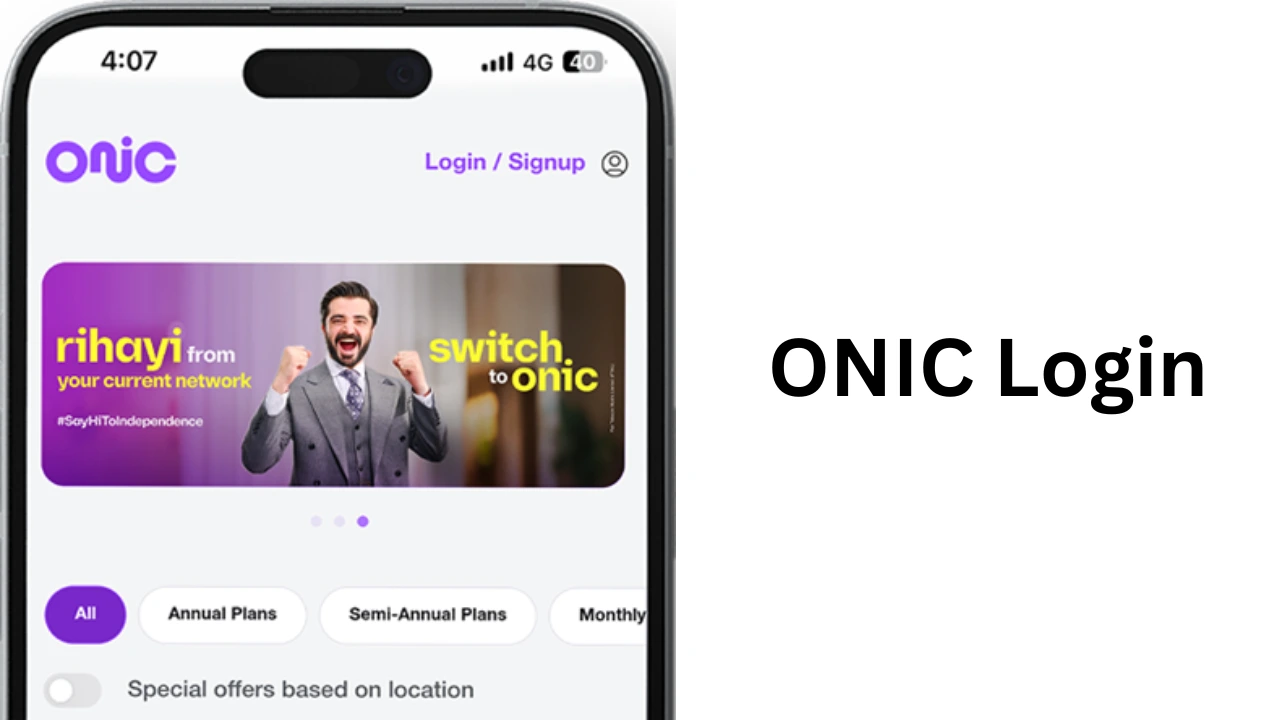
ONIC login is the secure way for customers to access their ONIC Pakistan account and manage mobile services online. ONIC is a digital-first telecom brand that allows users to control their SIM, eSIM, mobile plans, data usage, and account settings through its mobile application. Instead of visiting a service center, customers can complete most tasks from their smartphones within minutes. Many users search for ONIC login because they want to activate a new SIM, check their remaining data, renew their subscription, or update personal information.
What Is ONIC Login?
ONIC login is the authentication process that allows registered users to access their ONIC mobile account through the official ONIC application. Unlike traditional telecom companies that depend on physical service centers, ONIC provides a fully digital experience. After logging in, customers can manage almost every aspect of their mobile service from one dashboard. The account stores personal information, subscription details, payment history, and active plans. Users can also access services related to onic buy now pay later, making it easier to manage eligible installment purchases and payment details directly from their account.
Why ONIC Login Is Important?
Having access to your ONIC account gives you complete control over your mobile services. You do not need to visit a customer support office for common tasks. Some of the main benefits include:
| Feature | Benefit |
|---|---|
| Account Management | View and update personal information |
| Plan Renewal | Renew your active package instantly |
| Usage Tracking | Monitor remaining data, calls, and SMS |
| Payments | Pay bills securely online |
| SIM Management | Manage SIM and eSIM activation |
| Customer Support | Contact support directly through the app |
These features make ONIC one of the most convenient digital telecom platforms in Pakistan.
How to Create an ONIC Account?
Before using the login feature, you must register your ONIC account. Registration takes only a few minutes. Follow these simple steps:
- Download the official ONIC application.
- Install the app on your Android or iPhone.
- Open the application.
- Enter your ONIC mobile number.
- Receive the OTP.
- Enter the verification code.
- Complete your profile.
- Start using your account.
Once registration is complete, future logins become much easier because your number is already verified.
How to Complete ONIC Login?
The login process is designed to be quick and secure.
- Open the ONIC app on your mobile phone. Enter your registered ONIC number. The system sends an OTP to your number.
- Type the received code into the app. After verification, your account dashboard appears.
- The dashboard displays your active package, remaining internet data, SMS balance, call minutes, billing information, and account settings.
- Since ONIC uses OTP verification instead of passwords, users do not need to remember complicated login credentials.
Features Available After Logging In
After successfully accessing your account, many useful features become available.
1. Check Remaining Data
Users can monitor internet usage in real time. The dashboard shows how much data remains in the current package.
2. Monitor Call Minutes
The application displays available call minutes for all supported networks.
3. View SMS Balance
Customers can easily check how many SMS messages remain in their package.
4. Renew Packages
Renewing a monthly package only takes a few taps. Users can also switch to another plan if needed.
5. Manage Payments
The app stores payment history and allows secure online payments using supported payment methods.
6. Update Profile
Customers can edit personal information whenever necessary.
ONIC Login Requirements
Before attempting to sign in, make sure you meet the basic requirements.
| Requirement | Description |
|---|---|
| Active ONIC SIM | Your SIM must be active |
| Registered Number | Login requires your registered number |
| Internet Connection | Wi-Fi or mobile data is required |
| Latest App Version | Update the app regularly |
| OTP Access | Your phone must receive SMS verification |
Meeting these requirements helps avoid login failures.
Common ONIC Login Problems
Although the system works smoothly for most users, some customers occasionally experience login issues.
1. OTP Not Received
Sometimes SMS verification may take longer because of temporary network congestion. Wait a few minutes before requesting another OTP. Ensure your mobile network signal is strong.
2. Incorrect Phone Number
Entering the wrong number prevents account verification. Always confirm that the registered ONIC number is correct before requesting the OTP.
3. Weak Internet Connection
A slow internet connection can interrupt the login process. Switch to a stable Wi-Fi connection or move to an area with better mobile coverage.
4. Outdated Application
Older versions of the ONIC app may contain bugs. Updating the application often resolves unexpected login problems.
5. Temporary Server Maintenance
Occasionally, ONIC performs maintenance to improve system performance. During maintenance, users may experience short-term login interruptions.
How to Keep Your ONIC Account Secure?
Digital security is important for every online account. Follow these safety tips to protect your account.
- Never share your OTP with anyone.
- Download the application only from official app stores.
- Update the app regularly for the latest security improvements.
- Do not use public Wi-Fi for sensitive account activities.
- Log out if you use another person’s smartphone.
These simple habits greatly reduce security risks.
What Can You Do After ONIC Login?
The ONIC application is much more than a simple account portal. After signing in, customers can perform many daily telecom tasks without contacting customer service. Some popular activities include checking current plans, monitoring data usage, renewing subscriptions, activating roaming services, viewing payment history, managing eSIM settings, updating account information, and contacting customer support. Everything is available from one easy-to-use dashboard.
Benefits of Using the ONIC Mobile App
The ONIC application offers many advantages compared to traditional telecom management.
- Users save time because they do not need to visit physical service centers.
- The interface is clean and easy to understand.
- Package information updates almost instantly.
- Payments are completed securely.
- Customer support remains available through digital channels.
- Real-time usage tracking helps users avoid unexpected service interruptions.
These benefits make the application useful for both new and experienced customers.
Troubleshooting ONIC Login Issues
If login problems continue, try these solutions.
| Problem | Solution |
|---|---|
| OTP not arriving | Wait a few minutes and request again |
| Login keeps failing | Verify your registered number |
| App crashes | Update or reinstall the application |
| Slow loading | Check internet connectivity |
| Verification error | Restart the app and retry |
| Account issue | Contact ONIC customer support |
Most login issues can be solved without technical assistance.
Difference Between Registration and Login
Many new users confuse registration with login. Registration creates your ONIC account for the first time. During registration, the system verifies your number and stores your account information. Login simply gives you access to your existing account after verification. The table below explains the difference.
| Registration | Login |
|---|---|
| Creates a new account | Accesses an existing account |
| Done only once | Performed whenever needed |
| Requires profile setup | Requires OTP verification |
| Stores user details | Displays account dashboard |
Understanding this difference helps new customers avoid confusion.
Tips for a Smooth Login Experience
A few simple practices make the login process faster. Keep your registered number active. Install the latest version of the ONIC app. Ensure your phone receives SMS messages. Maintain a stable internet connection. Avoid repeatedly requesting multiple OTP codes within a short period. Following these recommendations improves account accessibility.
Conclusion
ONIC login makes managing mobile services simple, secure, and convenient. Instead of depending on physical service centers, users can control their entire telecom account through a single mobile application. From checking data usage to renewing packages and managing eSIM services, every important feature is available in one place. The login process is straightforward because it uses OTP verification rather than traditional passwords. This method improves account security while keeping access easy for users of all experience levels.