Onic Balance Check Code digital telecom service in Pakistan

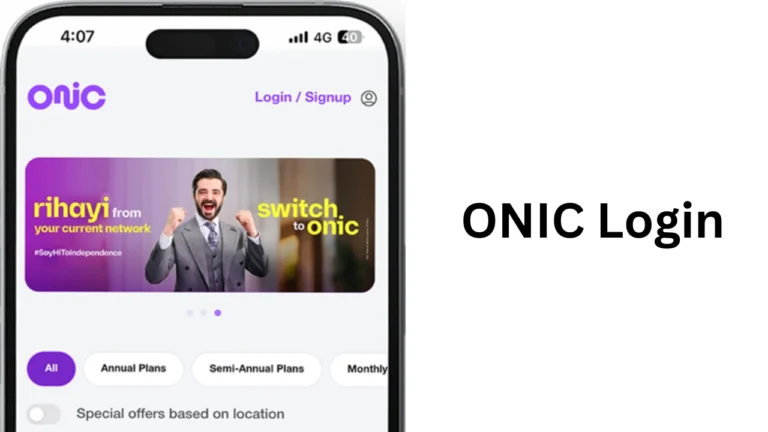
If you recently switched to Onic Pakistan, you may be searching for the onic balance check code to see your remaining balance or internet data. Many users are familiar with USSD codes offered by traditional telecom companies like Jazz, Zong, Ufone, and Telenor. However, Onic works differently because it is a fully digital mobile network. Instead of relying on short dial codes, Onic allows customers to manage their accounts through its official mobile application.
What Is Onic Pakistan?
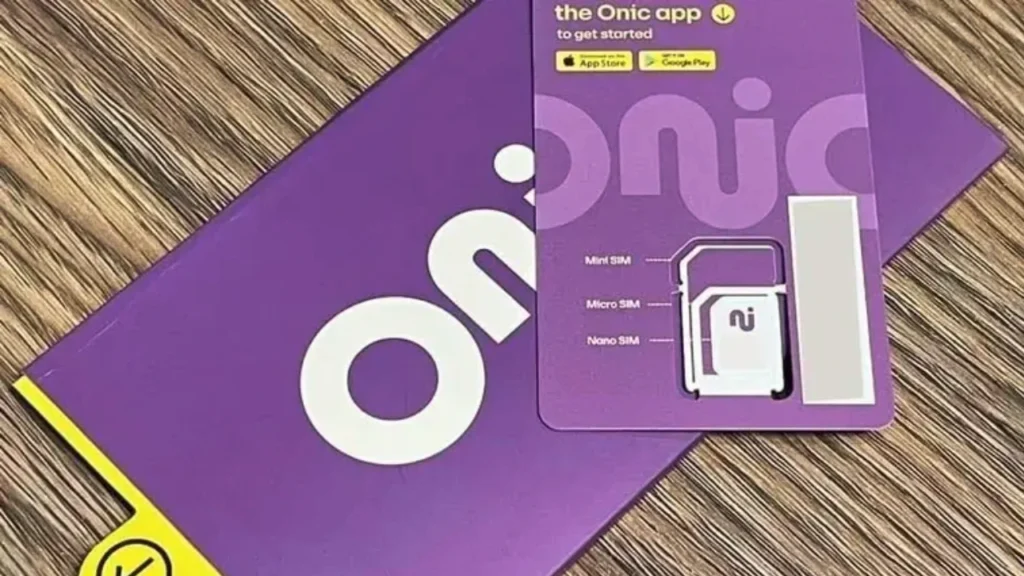
Onic is a modern digital telecom service in Pakistan that focuses on providing mobile connectivity through a mobile application instead of physical service centers. Users can order a SIM online, activate packages, apply an onic promo code during eligible offers, pay bills, and manage their account without visiting a franchise. Unlike traditional telecom companies, Onic keeps most customer services inside its mobile application. This approach makes account management easier and gives users instant access to their usage details.
Does Onic Have a Balance Check Code?
Many users search online for an onic balance check code because they expect a USSD code similar to *111# or *124#. However, Onic does not provide any official USSD balance check code. Instead of dialing a code, users simply open the Onic mobile application to view their account information. The app displays available balance, remaining internet data, call minutes, SMS, active bundles, and package expiry date. This digital system removes the need for multiple dial codes and provides all account information on one screen.
Why Doesn’t Onic Use USSD Codes?
Traditional telecom companies introduced USSD codes many years ago because smartphones were not common. Today, most smartphone users already have internet access and prefer managing their mobile accounts through applications. Onic follows this modern approach by offering digital account management. Instead of remembering several dial codes, users only need the official app. Some advantages include:
- Real-time balance updates
- Easy package management
- Secure payment options
- Digital customer support
- Simple account tracking
This system saves time and reduces confusion for customers.
How to Check Onic Balance?
Although there is no USSD service, checking your account is very simple. Follow these steps:
- Open the official Onic application.
- Sign in using your mobile number.
- Wait for the dashboard to load.
- View your available balance.
- Check remaining internet data.
- See available call minutes.
- Review remaining SMS.
- Check your package expiry date.
The entire process takes less than one minute.
Information Available in the Onic App
The application provides complete details about your account.
| Feature | Available in Onic App |
|---|---|
| Available Balance | Yes |
| Remaining Data | Yes |
| Remaining Minutes | Yes |
| Remaining SMS | Yes |
| Package Expiry | Yes |
| Active Package | Yes |
| Recharge History | Yes |
| Payment History | Yes |
This information updates automatically after every call, SMS, or internet session.
Can You Check Onic Balance Without the App?
One of the most common questions is whether users can check their balance without installing the mobile application. Currently, the answer is no. There is no official onic balance check code, SMS service, or web portal that allows users to check their account balance. The Onic application remains the primary platform for account management. If your phone supports Android or iPhone applications, downloading the app is highly recommended.
How to Download the Onic App?
Downloading the app is easy. Android users can install it from Google Play Store, while iPhone users can download it from Apple’s App Store. After installation:
- Register using your Onic number.
- Verify the OTP.
- Create your account.
- Access your dashboard instantly.
Once your account is active, you can monitor all services without needing any additional codes.
What Can You Do Inside the Onic App?
The Onic application offers much more than balance checking. Users can:
| Service | Supported |
|---|---|
| Check balance | Yes |
| Buy packages | Yes |
| Renew bundles | Yes |
| Recharge account | Yes |
| View usage history | Yes |
| Contact support | Yes |
| Upgrade package | Yes |
| Manage SIM | Yes |
Everything is available from one dashboard, making the app easy to use for beginners.
How to Check Remaining Internet Data?
Internet usage is one of the most important things users want to monitor. Simply open the app, and the home screen will display:
- Remaining GB
- Total data package
- Daily usage
- Expiry date
- Renewal information
The data updates automatically after every browsing session. This feature helps users avoid unexpected data shortages.
How to Recharge Your Onic Account?
Recharging an Onic account is simple. Users can pay through:
- Debit cards
- Credit cards
- Mobile wallets
- Digital banking apps
Once payment is complete, the updated balance appears instantly inside the application. This process is faster than traditional scratch cards or recharge vouchers.
Difference Between Onic and Traditional Telecom Networks
The table below explains why many users search for the onic balance check code after switching from other networks.
| Feature | Traditional Networks | Onic |
|---|---|---|
| USSD Balance Code | Yes | No |
| Mobile App | Yes | Yes |
| SIM Purchase Online | Limited | Yes |
| Digital Account Management | Partial | Complete |
| Physical Franchise Needed | Sometimes | No |
| Online Support | Limited | Yes |
This comparison shows that Onic focuses on digital convenience instead of traditional methods.
Benefits of Using the Onic Digital System
The digital platform offers several advantages. Everything is available in one place. Users no longer need to memorize different dial codes for balance, internet, minutes, or SMS. Other benefits include:
- Fast account access
- Secure login
- Real-time updates
- Easy package activation
- Quick recharge process
- Simple customer support
Tips for Managing Your Onic Account
Keeping track of your account is easy when you follow a few simple habits. Open the application regularly to monitor your remaining data and balance. Enable notifications so the app reminds you before your package expires. Update the app whenever a new version becomes available because updates often improve performance and security. These simple steps help you avoid service interruptions.
Final Words
Many people continue searching for the onic balance check code because they are familiar with traditional telecom companies that use USSD services. However, Onic has introduced a modern digital system that replaces dial codes with a user-friendly mobile application. Instead of remembering multiple short codes, users can simply open the app and view every important detail from a single dashboard.