Zong Book My Number Guide to SIM Registration in Pakistan


Mobile SIM registration is very important in Pakistan. Every user must register their SIM on their own CNIC. Zong provides easy ways to complete this process.
What Does Zong Book My Number Mean?
The term zong book my number means registering your Zong SIM against your CNIC. This process links your mobile number with your identity. The Pakistan Telecommunication Authority requires this step for security reasons. When you book your number, you become the legal owner of the SIM. This helps protect users from misuse and fraud. Without booking, your SIM may stop working.
Why Zong SIM Registration Is Important?
SIM registration keeps mobile services safe and secure. It helps the government control illegal SIM usage. It also protects users from identity theft. If you do not register your SIM, Zong may block your number. Booking your number also helps when you need customer support. Zong book my number ensures full access to calls, SMS, and internet services, just like how users benefit from various data packages such as the Jazz Monthly Internet Package.
Eligibility Requirements to Book a Zong Number
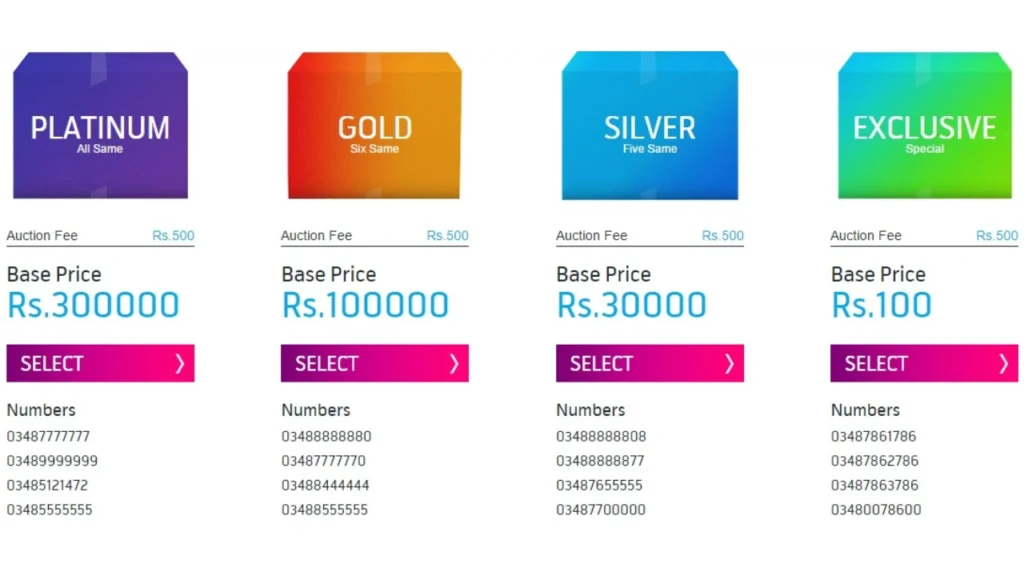
Before starting the registration process, users must meet certain conditions. These requirements apply to all Zong customers in Pakistan.
| Requirement | Details |
|---|---|
| CNIC | Valid Pakistani CNIC |
| SIM Type | Active Zong prepaid or postpaid SIM |
| SIM Limit | Maximum 5 SIMs per CNIC |
| Age | CNIC holder must be 18 or older |
Make sure your CNIC is valid before starting the process. Expired CNICs can cause registration failure.
How to Zong Book My Number Using USSD Code?
Zong offers a quick USSD method for SIM registration. This method works on all mobile phones. You do not need internet access for this step.
- To start, insert your Zong SIM into your phone. Dial *667# from the same number.
- Follow the instructions on the screen carefully. Enter your CNIC number when asked.
- This method works for many users, but it is not always final.
- Zong book my number through USSD may still require biometric verification later.
Biometric Verification for Zong SIM Booking
Biometric verification is the most reliable method. Zong franchises and service centers offer this facility. This process confirms your identity using fingerprint verification.
- Visit a nearby Zong franchise with your original CNIC.
- The staff will scan your fingerprints using official devices.
- After verification, your SIM will be booked instantly.
- This method is mandatory in many cases.
- Zong book my number through biometric verification ensures long-term SIM ownership.
Online SIM Information Check Before Booking
Before registering, users often want to check SIM status. Zong provides a simple way to see registered numbers. This helps avoid extra SIM registrations.
- Dial *667# and view the list of numbers linked to your CNIC.
- If your number appears, it is already registered. If not, you need to complete booking.
- This step saves time and avoids confusion. Zong book number becomes easier when users know their SIM status first.
Common Problems While Booking a Zong Number
Many users face issues during SIM registration. These problems usually happen due to incorrect details. Understanding these issues helps avoid delays.
| Problem | Possible Reason | Solution |
|---|---|---|
| CNIC Error | Wrong CNIC entry | Enter correct CNIC |
| SIM Not Detected | SIM not active | Insert SIM properly |
| Biometric Failure | Fingerprint mismatch | Visit another franchise |
| SIM Limit Exceeded | More than 5 SIMs | Block unused SIMs |
Always double-check your CNIC number before submitting it. Small mistakes can stop the process.
How Long Does Zong SIM Booking Take?
The registration time depends on the method used. USSD registration may complete within minutes. Biometric verification usually finishes instantly at the franchise. Sometimes system delays may occur. In such cases, activation can take a few hours. Zong book my number usually completes on the same day. If your SIM stays inactive, contact Zong customer support. They can check the registration status for you.
What Happens If You Do Not Book Your Zong Number?
Unregistered SIMs are at high risk of blocking. Zong regularly checks registration status. Numbers without proper ownership may stop working. Blocked SIMs cannot make calls or use internet services. Recovery may require visiting a franchise. Zong book my number protects you from service interruption. Booking also helps in number recovery if your SIM is lost. Ownership proof makes replacement easier.
Zong SIM Booking for Old and New Users
Both new and old users must follow registration rules. New SIMs often require immediate biometric verification. Old SIMs may also need re-verification. Zong sends reminders to users with unregistered SIMs. These messages should not be ignored. Zong book my number keeps your connection safe and active, just like how users enjoy seamless access with offers such as the Zong WhatsApp Package Weekly. Even if your SIM works, always confirm its registration status. This avoids future issues.
Safety Tips After Booking Your Zong Number
After completing SIM registration, users should stay careful. Protect your CNIC information from misuse. Never share biometric data with strangers. Always keep your SIM registered under your own name. Zong book my number helps ensure personal security. Report any suspicious activity to Zong immediately.
Conclusion
Booking your SIM is an important step for every mobile user in Pakistan. When you complete zong book my number, you secure your mobile connection and prove legal ownership of your SIM. This process also helps prevent misuse and keeps communication services safe for everyone.
Zong offers simple ways to register your number through USSD and biometric verification. Both methods are reliable when you enter correct details and follow official instructions. Completing registration on time saves you from service blockage and future problems.